Route every model call.See where it went.
Route models from your connected providers through one OpenAI-compatible endpoint. See latency, usage, and cost for every request.
0 code changes: Keep your OpenAI SDK. Use models across providers.
# Install: pip install openaiimport osfrom openai import OpenAIclient = OpenAI( api_key=os.environ["TRACEPORT_API_KEY"], base_url="https://api.traceport.ai/v1",)response = client.chat.completions.create( model="gpt-4o", messages=[{"role": "user", "content": "Hello!"}],)print(response.choices[0].message.content)Provider integrations
Connect the model providers you already use.
- OpenAI
- Anthropic
- Google Gemini
- Google Vertex AI
- Groq
- Mistral AI
- Together AI
- DeepSeek
- + and more upstream
Observability
See traffic, usage, and cost in one view.
The dashboard brings request volume, cache activity, token usage, latency, and cost together so you can see how your AI traffic is behaving.
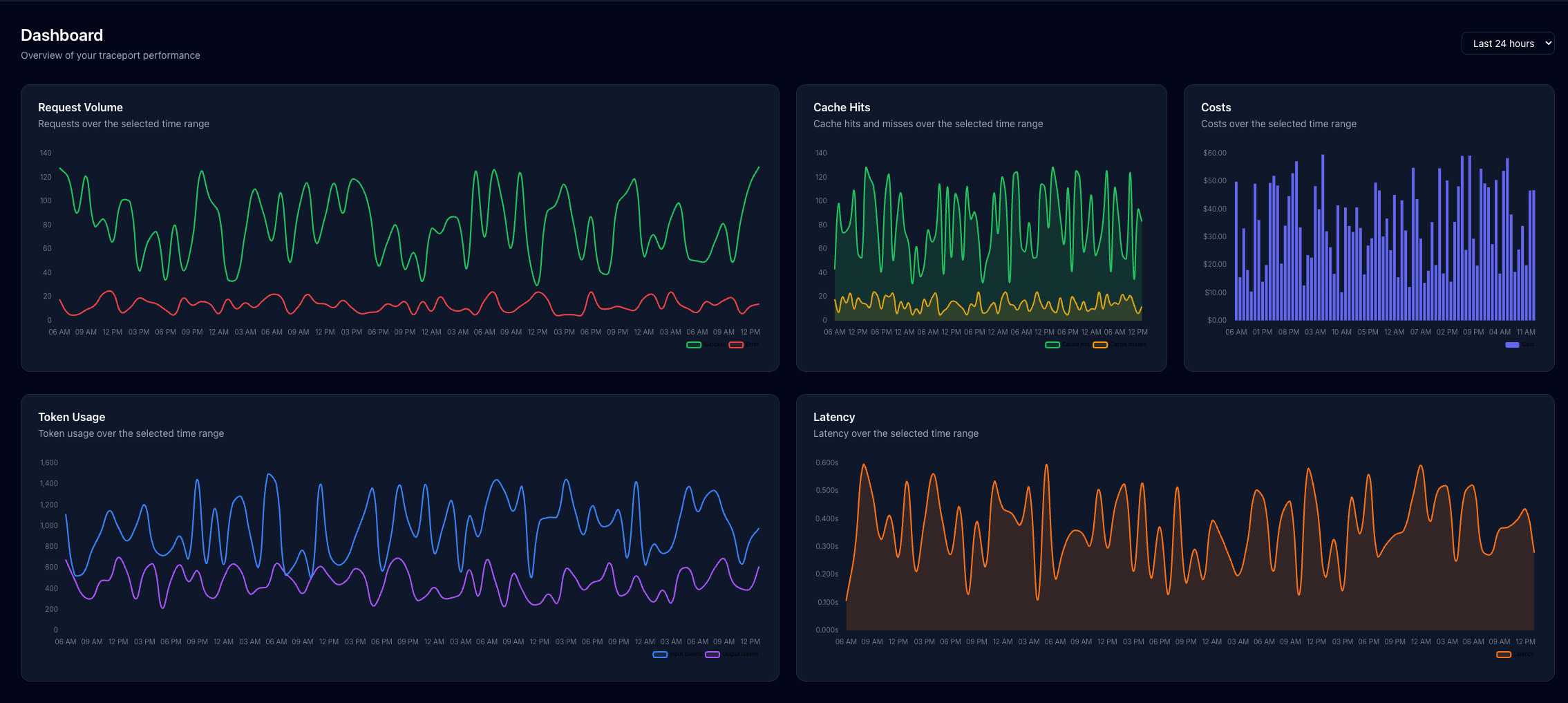
Swipe to inspect the dashboard →
Explore the dashboardHow it works
One path from API call to trace.
Keep your app integration familiar while routing and request details live in one unified pipeline.
- 01
Your app calls Traceport
Send requests through the OpenAI-compatible endpoint with zero architecture change.
base_url="https://api.traceport.ai/v1"
- 02
Apply your workflow
Evaluate rate limits, caching rules, fallbacks, and plugin transformations in flight.
rules: [cache_semantic, fallback_429]
- 03
Forward to provider
Traceport calls the selected provider (OpenAI, Anthropic, Gemini, DeepSeek) seamlessly.
upstream: connected · 200 OK
- 04
Inspect what happened
Review request payload, token counts, latency breakdown, and estimated cost per turn.
tokens: 412 · cost: $0.0012
Capabilities
Build the flow. Inspect every outcome.
Manage routing logic, fallbacks, and real-time observability in a unified technical console.
Config Workflows & Smart Fallbacks
Define routers, branches, custom plugins, and automated failover paths in a versioned flow. Switch models on the fly with zero client downtime.
RULE: lowest_latency_first · 429_auto_retry
Telemetry & Traces
Inspect every request with exact upstream provider, duration breakdown, token usage, and cost per turn.
Session Tracking
Follow multi-turn conversations, filter by session ID or model, and track cumulative context expansion.
Prompt Studio & Evals
Version prompts, compare models side-by-side, and evaluate changes against benchmarks before production.
Gateway Access & Security
Connect provider credentials securely. Issue scoped gateway keys with automated budget caps and instant revocation.
FAQ
Before your first request.
Answers to the most common questions about migrating, routing, and observing your model calls.
01Can I keep using the OpenAI SDK?
Yes. Use a Traceport gateway key and point the OpenAI client at the Traceport API base URL.
Read the docs02Can I connect my existing provider accounts?
Yes. Connect providers such as OpenAI, Anthropic, Google Gemini, Groq, Mistral AI, and DeepSeek in Integrations, then create a Traceport gateway key for your application.
Read the docs03What can I inspect after a request?
Logs include the provider, model, status, token usage, duration, and estimated cost. Open a log to inspect the request and response.
Read the docs04Can I trace a whole conversation?
Yes. Session Tracking shows multi-turn conversations and lets you filter by session ID or model, with token and cost details for individual turns.
Read the docs05Can a workflow handle provider failures?
Config workflows support fallback and retry paths that you can define as part of the request flow.
Read the docsGet started
One endpoint for your models.Every request in view.
Connect a provider, send a request, and inspect its trace in the dashboard with zero architectural changes.
OpenAI SDK compatible · Multi-provider failover · No credit card required